Update device details in inventory
The inventory command sends a request to a specific device, which results in the device updating the KACE Cloud database. After a successful inventory update, click Refresh to see the latest inventory data.
Each new device enrollment is immediately inventoried. In addition, KACE Cloud is automatically updated once per day. A manual request to update inventory for a specific device can also be sent, as described below.
This command is available on all managed iOS, Android, macOS, and Windows devices.
- Select the Devices tab in top navigation.
- Select a device from the list.
- In the right panel, click Inventory.
- Click Confirm.
The Device Details section is updated, showing the information about the device.
Windows devices only: While MS Windows supports device names of up to 63 characters, only the first 15 characters are reported to KACE Cloud by Windows.
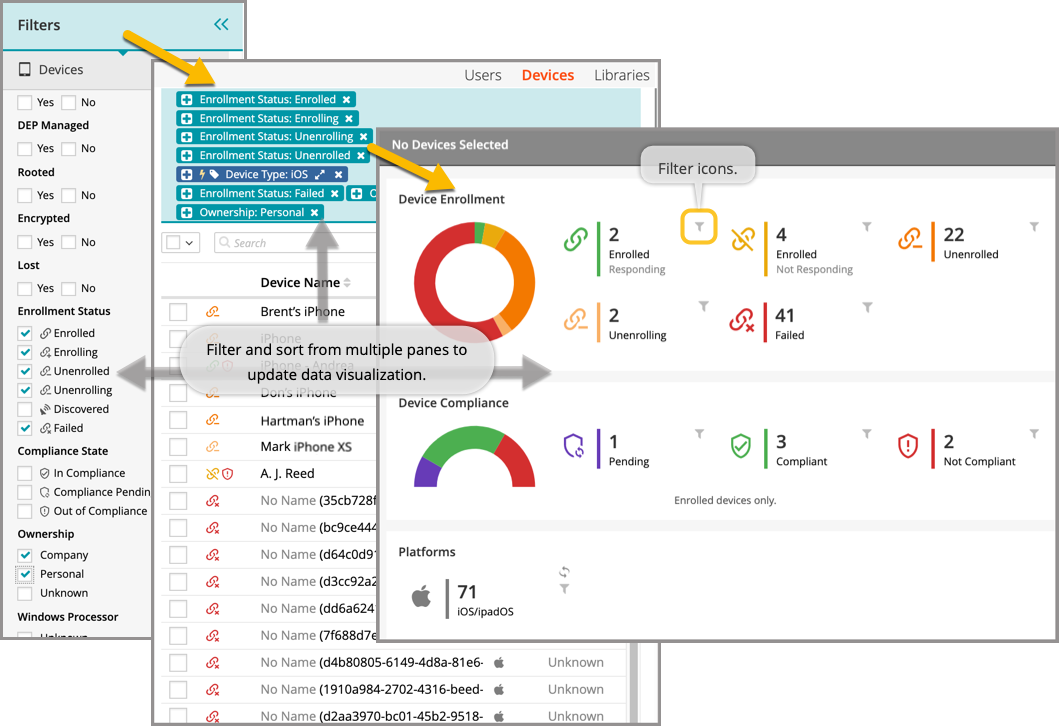
In the Devices section, an admin can filter and sort from multiple panes to update data visualization of inventory.